
Jira Tips for New QA Professionals
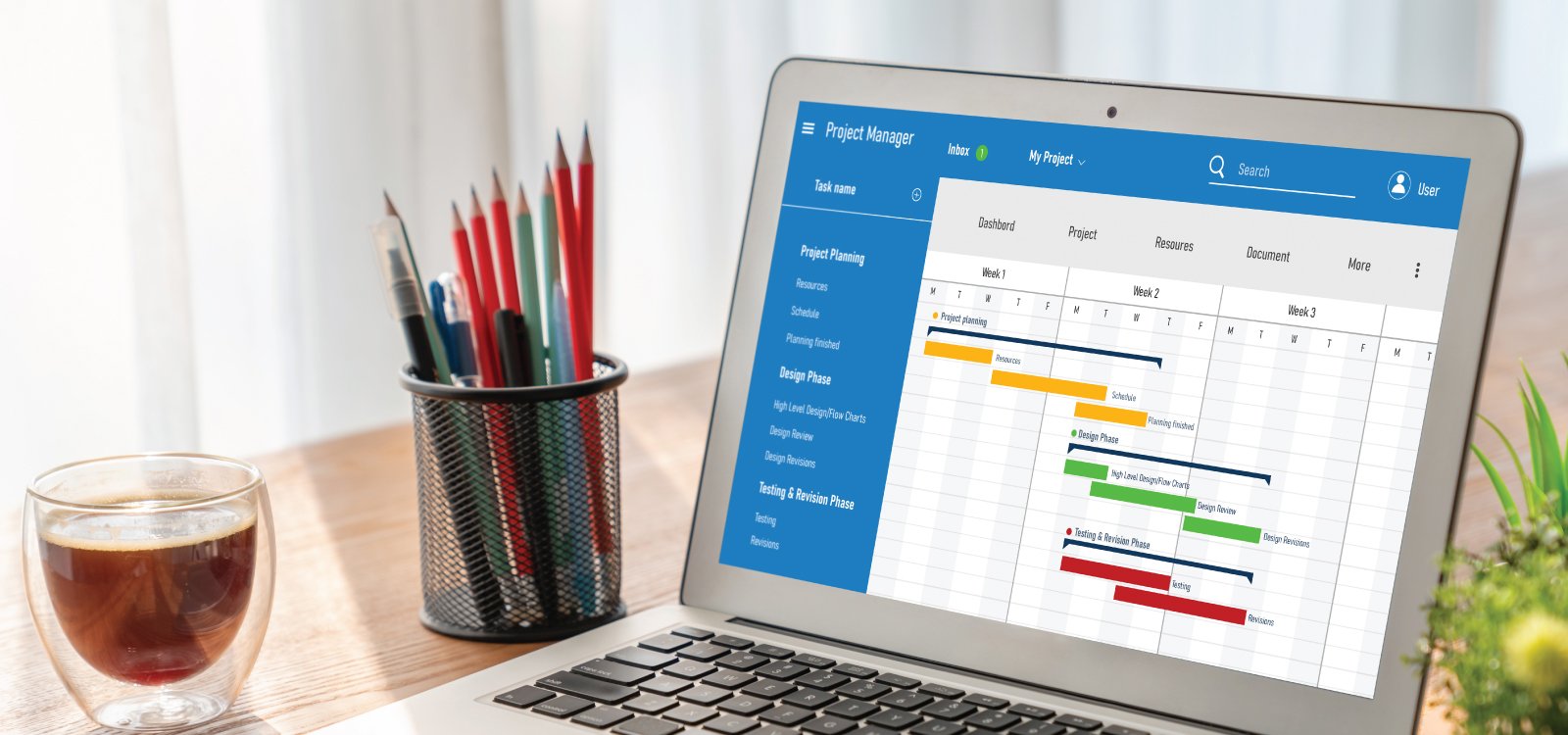
When I was first introduced to Jira, I remember feeling overwhelmed. So many fields, workflows, and screens! But over time, I picked up simple tricks that made bug tracking, test management, and team communication feel natural and even fun. If you're new to Jira as a QA, this blog is for you.
The key to mastering a tool is not knowing all its features — it’s knowing which ones make you faster
Here are some beginner-friendly tips I wish someone had told me early on:
Use Labels and Filters Smartly – Custom filters save tons of time. I set one up for just the bugs I’ve logged or need to retest.
Write Clear Bug Titles – Make the summary readable and searchable. It helps everyone in the team (especially devs!).
Leverage the Description Field – Include actual vs expected behavior, screenshots, steps, and any console logs.
Watch Issues You Care About – Get notified when bugs you logged or are blocked by get updated.
Bulk Edit for the Win – Need to update priority or status for 10+ issues? Use bulk edit — a hidden gem!
Jira becomes easier the more you use it — and a few of these habits can help you look sharp and stay organized as a QA early in your journey.
Just found 5mblink. Looks new. Gonna give it a try. Hope this link delivers some wins!
Just gave ic79bbet a whirl. Pretty solid experience, good selection of games and the site’s easy to navigate. Not too shabby! Check it out here ic79bbet.
Trying out 8okvip! Hope the VIP treatment brings me some wins. Anyone else had luck here? 8okvip
Just signed up on okttlogin. The whole process was pretty smooth, no dramas. Fingers crossed its gonna be a good ‘un! Check it out bruv okttlogin.
Vegeta777, now that’s a name! The site’s pretty straightforward, easy to navigate. They seem to focus on the essentials, which is fine by me. A decent selection of games, and the bonuses aren’t bad. See for yourself: vegeta777
8usgameclub, eh? Sounds like it could be my new go-to spot for some gaming action. Hope they got some good promos. Imma head over and see what’s up: 8usgameclub
Tigo88vip, are you the real deal? VIP treatment sounds nice. Gotta see what perks you’re offering. Let’s give it a shot: tigo88vip
Alright, vn.ku11.net is pretty cool. Different vibe I guess. Check it out if you want to try a new version of the site. Have fun! Click here: vn.ku11.net
Gonna give bonos777vn a try. Their bonuses seem pretty sweet, hopefully the games are good too! Finger’s crossed! Explore here: bonos777vn
Okay, f8betlgoptimusl9. This name is wild LOL. Let’s see if the experience lives up to the name. Wish me luck. Find it here: f8betlgoptimusl9
Used tr88link to get in, no problem at all. Simple and fast. Check it if you want to! tr88link
Yo, 567zkgamedownload got me hooked up with the latest mobile games! Seriously easy to find what I’m looking for. Check it out 567zkgamedownload
Betmex is my go-to for sports betting. Easy to use and good odds. Check em out if you wanna place a bet. betmex
Always on the lookout for promo codes, and jljl11promocode has delivered. Saved some cash, now I can play with more confidence! Check their promo codesjljl11promocode
Yo, bj88casino’s where it’s at tonight! Just spent a few hours having some fun. UI could be a little cleaner, but gameplay’s solid. Check them out: bj88casino
Alright folks, ff66vin just earned a spot on my rotation. Pretty easy to navigate, and the bonuses look hot. Worth a look: ff66vin
Just trying out mxskyhills and feeling good vibes! The graphics are crisp, and I’m already up a little. Check them out and let me know what you think! mxskyhills
Gotta give kong88nesl a shoutout! They got some different stuff than the usual casinos, which is cool. Worth exploring! Head over to kong88nesl
777king88, baby! My go-to for some quick thrills. Site’s clean and I actually won a few bucks. Worth a shot if you’re feeling lucky 777king88.
Alright alright alright, 777uah is on my radar. Looking for something new and this one pops up. Decent selection and seems pretty straightforward. I’d give it a try 777uah.
Finally found a spot that actually pays out on time. The interface is clean and not cluttered with useless ads. I’m really enjoying my time here so far. Visit jjjwin today.
The mobile app is a game changer. I can play anywhere without any glitches. It’s much more convenient than the browser version. Cheers to bt777app
Finally found a place that doesn’t lag during the big moments. The betting options are extensive and the odds are quite competitive. krbettwiner is legit.
Really impressed with the payout speed here. It is definitely one of the most reliable platforms I have used lately. Highly recommend bdtakbat to everyone.
I have had some amazing wins here recently. The bonuses are generous and the local support team is very helpful. It feels like a lucky place to play. Visit phjililucky
Super easy to access and navigate. I have tried many sites but this one feels the most reliable. I suggest jili368login for a smooth ride.
Super love the interface here. It is very easy to navigate and the bonuses are actually helpful for new players. Highly recommended! ph688jili
I love how stable the login process is. No more annoying crashes when I’m on a winning streak! bw777login
Really impressed with the game selection here. Everything loads quickly and the graphics are crisp. 98pakgame is definitely a hidden gem.
I love the rewards system on this platform. It keeps things exciting and motivating. I am really enjoying my time at 777acom.
This app is a game changer. The graphics are amazing and it doesn’t lag at all. Perfect for relaxing after a long day. Download jljl44app
Finally found a platform that doesn’t lag during peak hours. The interface at ph68jllogin is super intuitive and easy to navigate.
The slot variety here is insane. I hit a decent win on my first try and the withdrawal process was super quick. Highly recommend it guys! kratonbetslot
Everything feels tailored for Filipino players and that makes a huge difference. Deposits go through instantly and the promotions match what we actually enjoy playing. The vibe is relaxed and the team behind the scenes really cares about fair play. Come check out phplayzone for a trustworthy gaming hub phplayzone
Finally found a site that actually has the games I was looking for. The interface is super intuitive and easy to navigate. Highly recommend pasar123slot to everyone.
Really enjoying the game selection here. The payouts are fair and the interface is super smooth. Definitely my new favorite spot for slots! Check out m4winslot for a great time.
Downloading the APK was super simple and the app runs perfectly on my phone without any lag. Love pkx111gameapk
I’ve been trying out a few sites lately and this one really stands out. The interface is smooth and the payouts are fast. Definitely worth a shot! 393bet777
Everything works perfectly on my mobile phone which is a huge plus for me. I can play anywhere anytime thanks to 33jiliph.
Super impressed with the customer support here. They answered my questions in minutes. I’m really enjoying my time on jljl99login.
I have tried many sites but this one stands out for its reliability. Fast withdrawals and great odds. Trust kr789win
Super impressed with the fairness of the games here. I feel like I actually have a chance to win. Really happy with idgg189 so far.
Loving the integration with Maya, it makes deposits and withdrawals so fast and seamless. luckyplayphmaya is the way to go for convenience.
I’ve been playing on this app for a few weeks now and the interface is super smooth. The payouts are surprisingly fast too. Highly recommend j8jiliapp for anyone looking for a reliable spot.
I’ve been playing here for a month now and it is consistently reliable. The odds are quite fair compared to others. idlotusdewa is a solid choice.
The app version is just perfect. I can play anywhere and the connection is always stable. If you want convenience, just go for superjiliapplogin.
The gaming experience is top notch. I had a few questions and the customer support answered me right away. Really impressive service! phonyx
I hit a huge jackpot here last week and the process of claiming it was so easy. Truly a lucky place pklucky98game.
Super impressed with the bonus offers they provide for new players. It really gives you a head start. Visit inyoo777 for the best deals.
I’ve tried a few sites lately but this one is really smooth. The games load fast and the payouts are fair. Definitely my new favorite spot! phjili588
Finally found a way to get the app installed without any hassle. The mobile experience is way better than the browser version. Get it via 355betappdownload.
The registration process was a breeze and I was playing in under two minutes. Really impressed with the game variety here. Give jili65loginregister a go, it is totally worth it.
The app version is a game changer. It is so much more convenient to play on the go. Everything works perfectly after the latest update. 1777betapploginapk
Finding a working link can be a pain but this alternative site is a lifesaver. Stable connection and no lag during the big wins. Go to jitu100linkalternatif
Perfect for anyone in the city looking for a quick and easy way to play. Everything is localized and easy to navigate. Shoutout to phmanilaplay!
The graphics are stunning and the gameplay is very addictive. I had a blast playing here last night. Definitely check out citrabet777.
Super easy to navigate and the rewards system is actually rewarding. I love how simple it is to start playing. Download okplayslotapp
If you are looking for a reliable place to play, this is it. Secure payments and a great selection of slots. Big thanks to br119bet.
I’ve been trying a few sites lately and this one is actually smooth. The payouts are fast and the interface is very user friendly. Definitely recommend ph10jilicc to anyone looking for a reliable spot.
Really enjoying the selection of games here. Everything is well organized and the mobile version works like a charm. Check out phxgjili.
Really impressed with the security and the way they handle transactions. It feels very safe to play here. Visit ph788ph
Honestly the variety of games here is impressive. I had a great run last weekend and the customer support was super helpful. Give brbussbet a try if you want a fair game.
This is exactly what I was looking for. Simple, fun, and very rewarding. Definitely spending more time on eu88fun.
Solid experience so far. The site loads quickly on my phone and the game selection is top notch. Give bds444 a try if you want a reliable site
Solid platform with a great selection of markets. I have recommended this to all my friends who love betting. Go to vnbl888